A WordPress plugin that automatically displays relevant FAQs based on your page content — using local analysis, no external APIs.
Intelligent FAQ matching without the complexity.
Analyzes your page content locally to extract keywords and phrases. No external API calls — everything runs on your server for privacy and speed.
Multi-factor scoring algorithm matches FAQs to page content using keywords, phrases, and priority weights. Shows the most relevant answers automatically.
Show FAQs via shortcode, Gutenberg block, sidebar widget, or PHP function. Choose accordion, grid, or list layouts to match your design.
Pre-built styles including Modern Professional, Dark Mode, Corporate Blue, and more. Customize colors, typography, spacing, and animations — no code needed.
Automatic Schema.org FAQPage structured data for rich search results. Toggle markup on/off globally. Clean HTML output optimized for search engines.
Track which FAQs are displayed most, identify underperforming content, and view category performance — all from your WordPress admin.
Get smart FAQs running on your WordPress site quickly.
Upload the plugin to your WordPress site and activate it. Compatible with WordPress 5.8+ and PHP 7.4+.
Create FAQs with questions, answers, and optional keywords. Organize by categories and set priority levels for manual control.
Use the shortcode [smart_faq], add the Gutenberg block, or drop in a widget. The plugin automatically matches relevant FAQs to each page.
Powerful admin interface with beautiful templates.
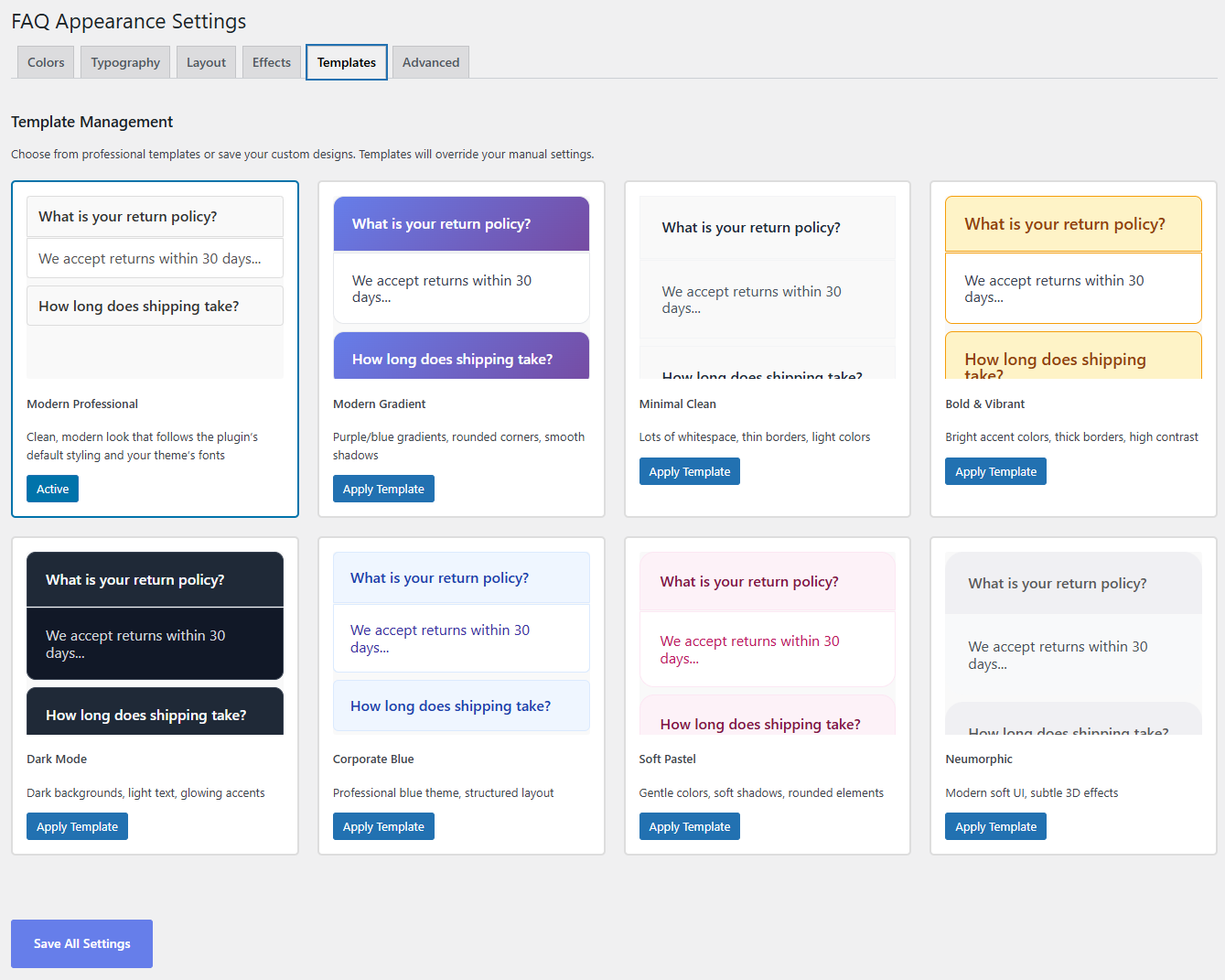
Choose from Modern Professional, Gradient, Dark Mode, Corporate Blue, and more. One-click application with full customization.
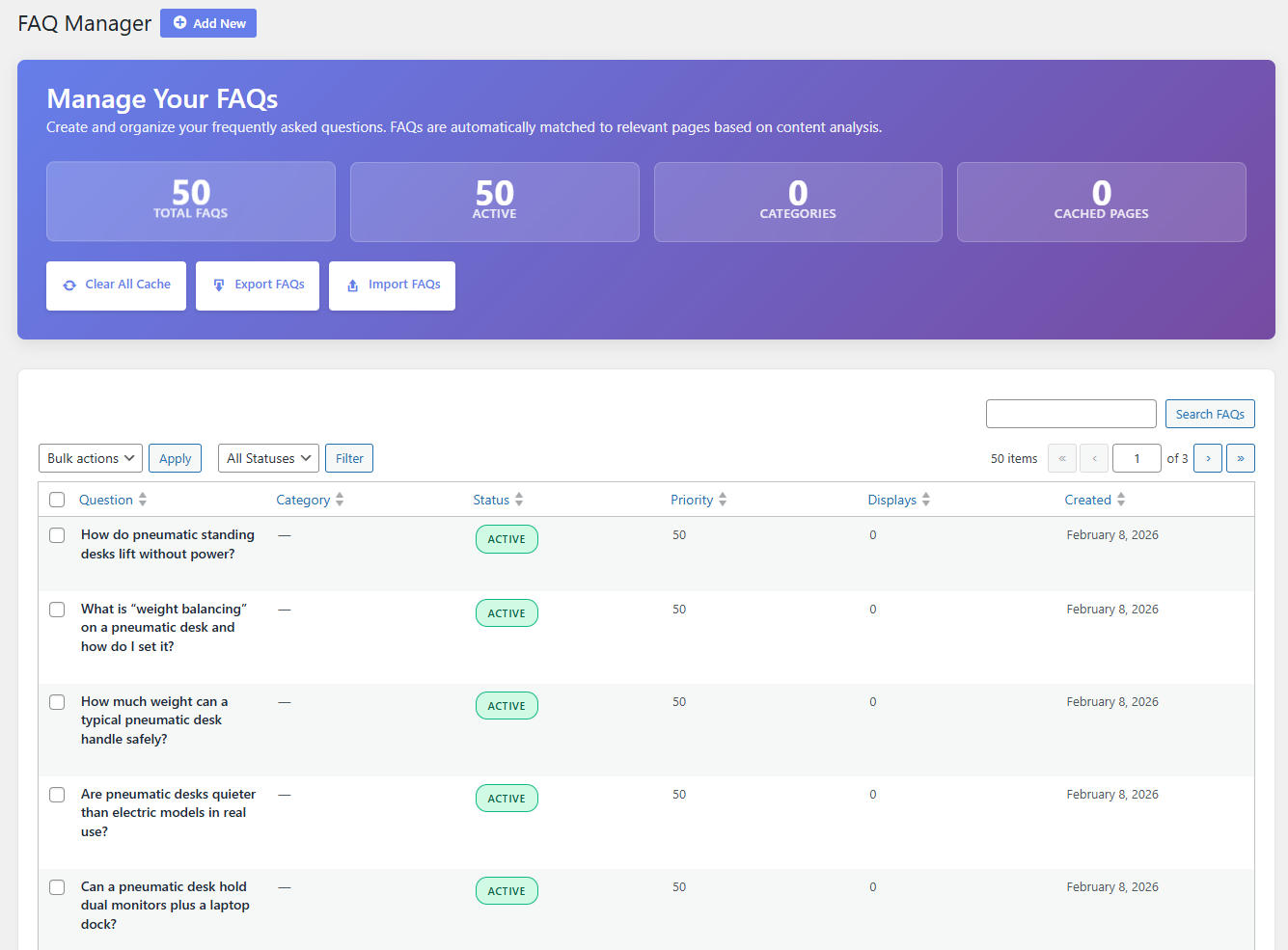
Rich text editor, priority slider, keywords, and categories. Everything you need to organize your FAQs effectively.
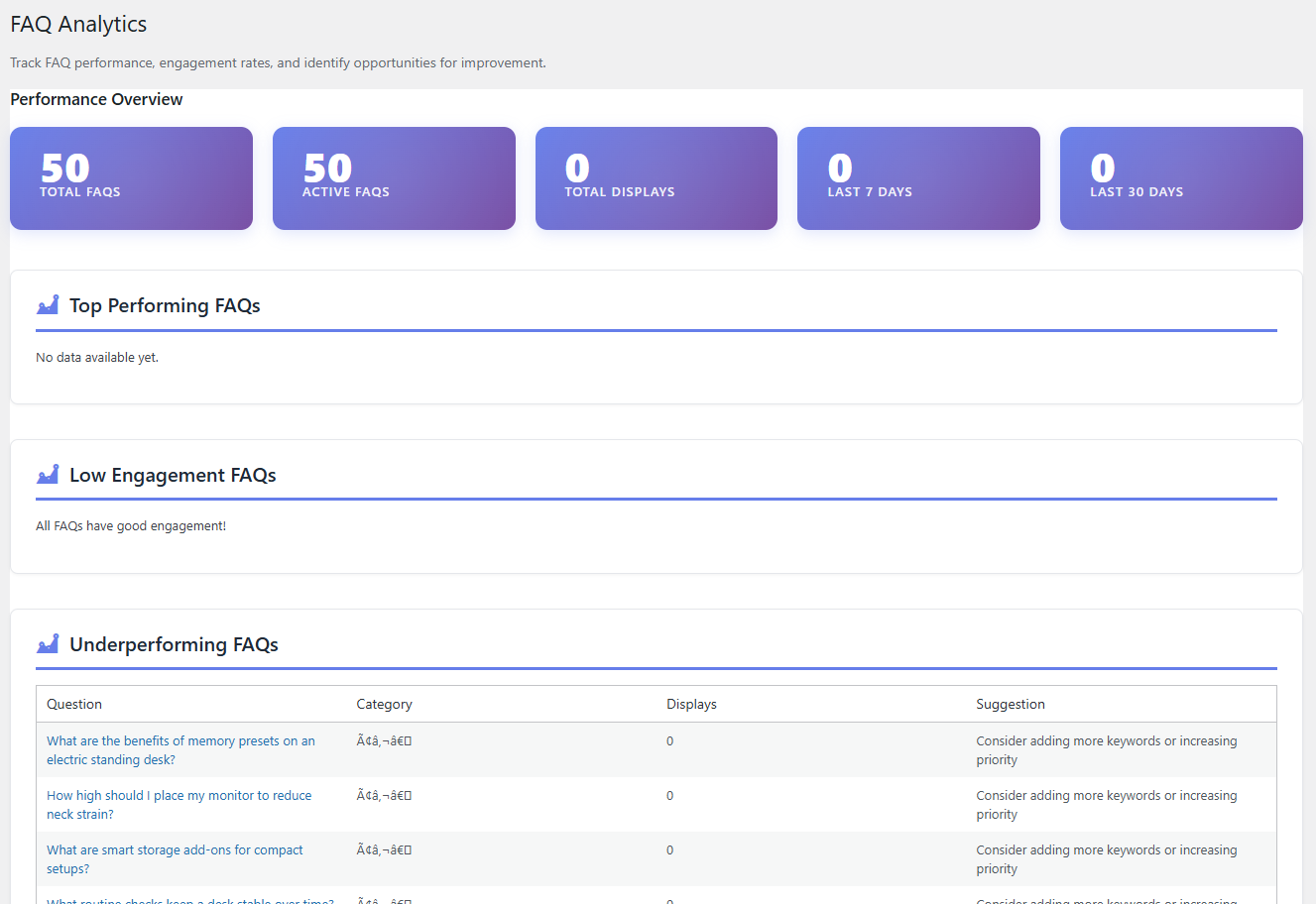
Track FAQ performance, engagement rates, and identify opportunities for improvement with detailed insights.
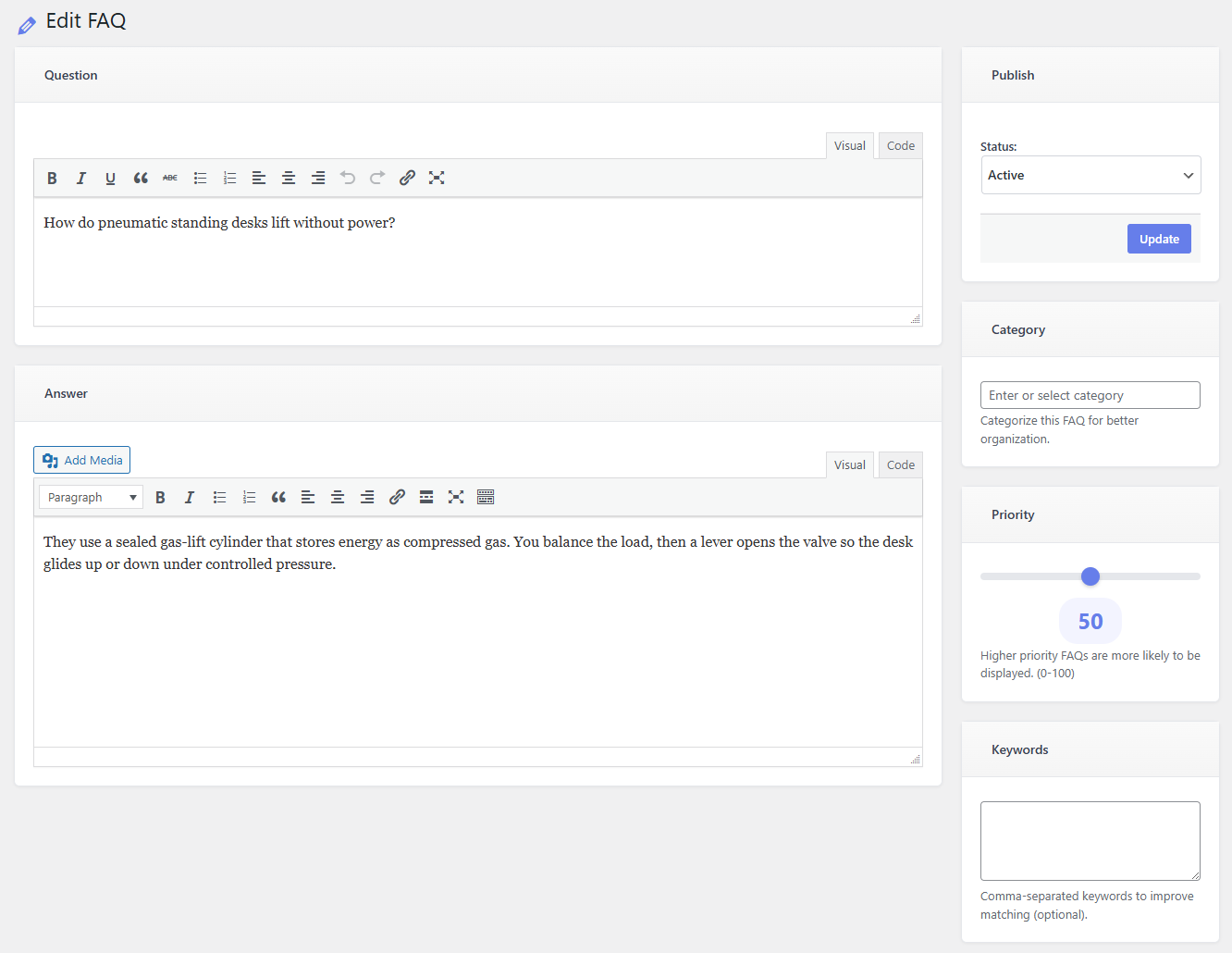
Visual and code editing modes, media support, and intuitive controls for creating comprehensive answers.
Download Smart FAQ Manager and start showing relevant answers to your visitors automatically.
Download Plugin